
Follow these steps to make the Developer Options appear again:
1. Select FireStick Settings.
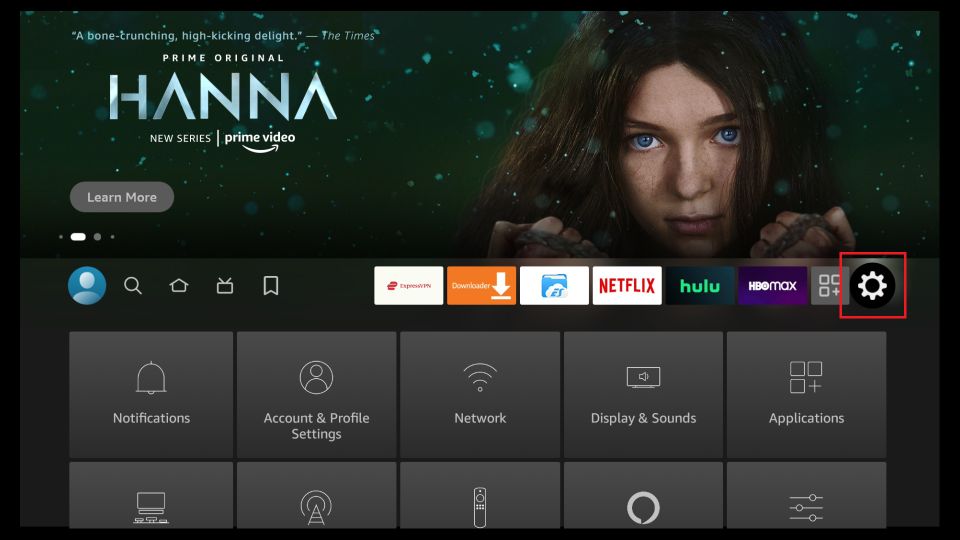
2. Click My Fire TV.
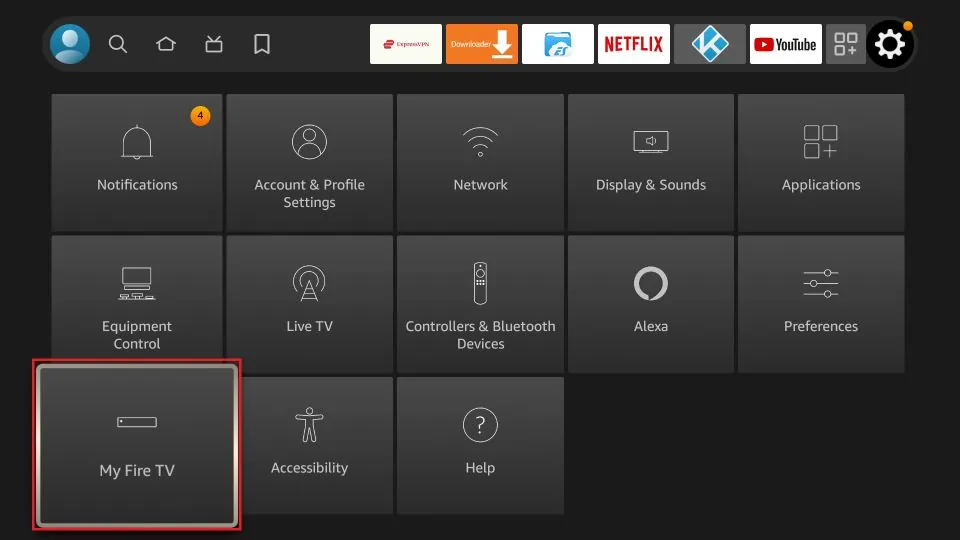
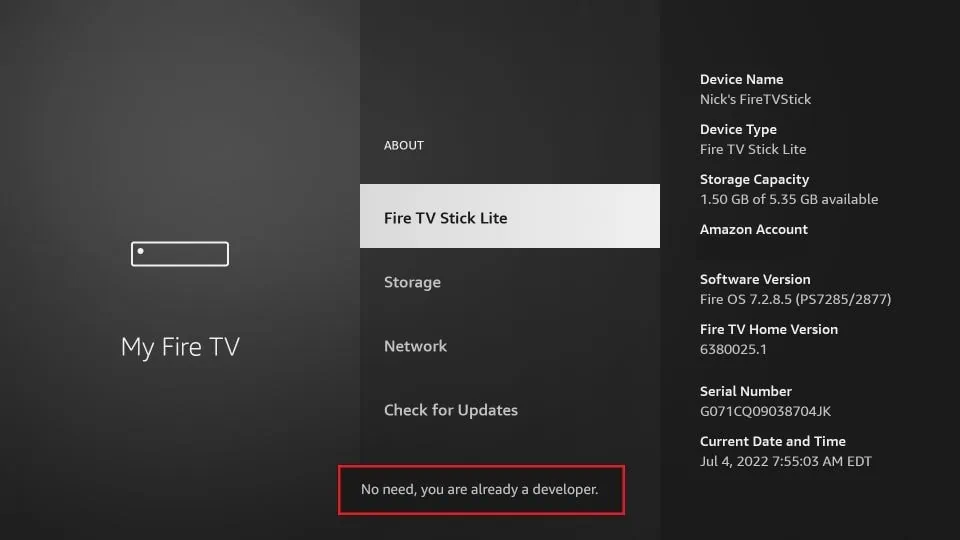
3. Click About (only if you DO NOT see Developer Options on this screen).
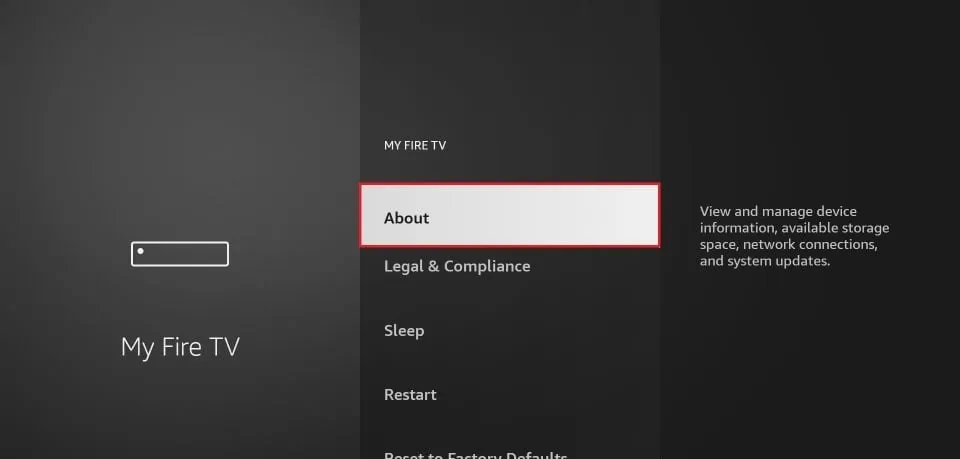
4. Click on your Fire TV Stick quickly 7 times.
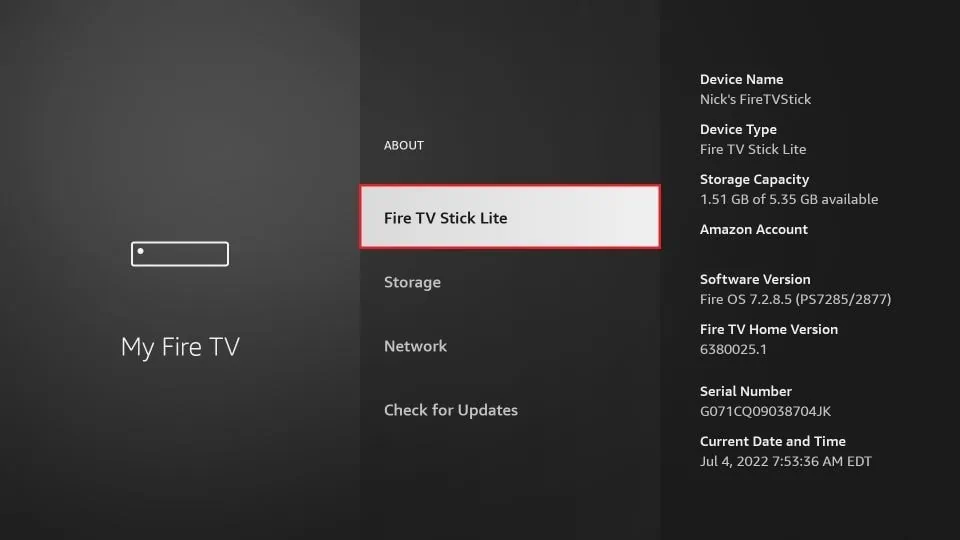
5. You will see a notification at the bottom saying No need, you are already a developer. That’s it, you have enabled Developer Options.
6. Press the back button once or go back to Settings > My Fire TV and you will now see Developer Options.
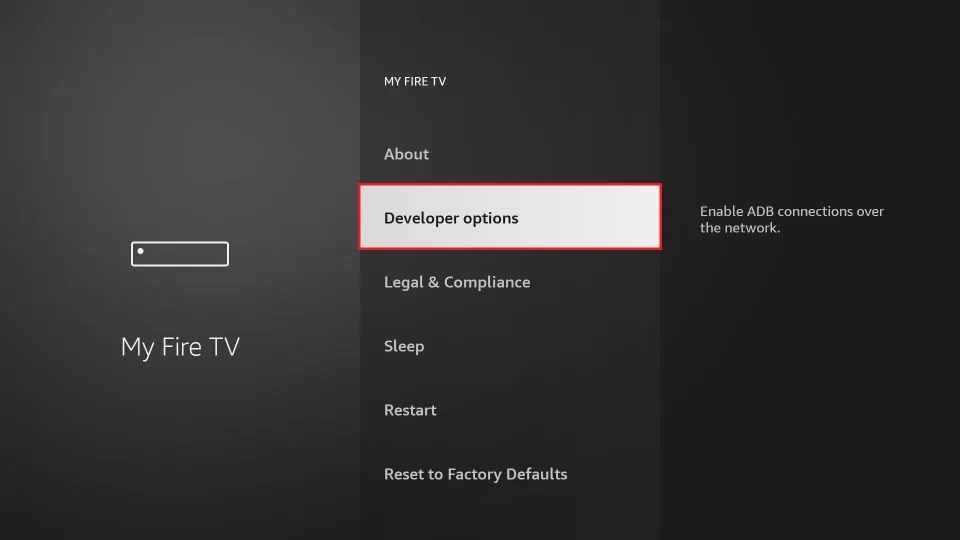
Now you can go into Developer Options and enable Apps from Unknown Sources to sideload APKs on your FireStick device.